
If you are looking for an easy, modern way to apply different themes, take a look at Theming in 2025: from dark mode to color-scheme and light-dark
Sometimes we would like to have different colour themes for our website: for aesthetics, such as dark mode; to add extra value to a product by letting users customise a specific space; or for accessibility, to create high-contrast stylesheets or others that help the content reach people with specific visual issues such as colour blindness.
Until recently, creating different themes with CSS necessarily meant adding many lines of code to our stylesheet. Luckily, that is no longer the case.
The approach
Over the years we have improved the solution to this need. We used PHP variables to dynamise stylesheets and get several looks from the same code. That practice ended with the arrival of CSS preprocessors such as Sass, and today we can do it with native CSS alone, using custom properties, also known as CSS variables.
We are going to see how to do it with custom properties because they are more versatile, easier to understand and faster to implement than the other alternatives, even if support is not total.
We are going to skip the basics, features and inner workings of custom properties, because there are excellent posts about that out there ^^
The code
The first step is to define a set of variables from our colour palette, and when doing so it is wise not to make them too descriptive, because when the values change they can lose their meaning. That is: a variable –orange with a blue value instead of orange can be confusing, and it is not correct. That is why it is common to find variables named –primary, so you do not get trapped by the meaning of the word.
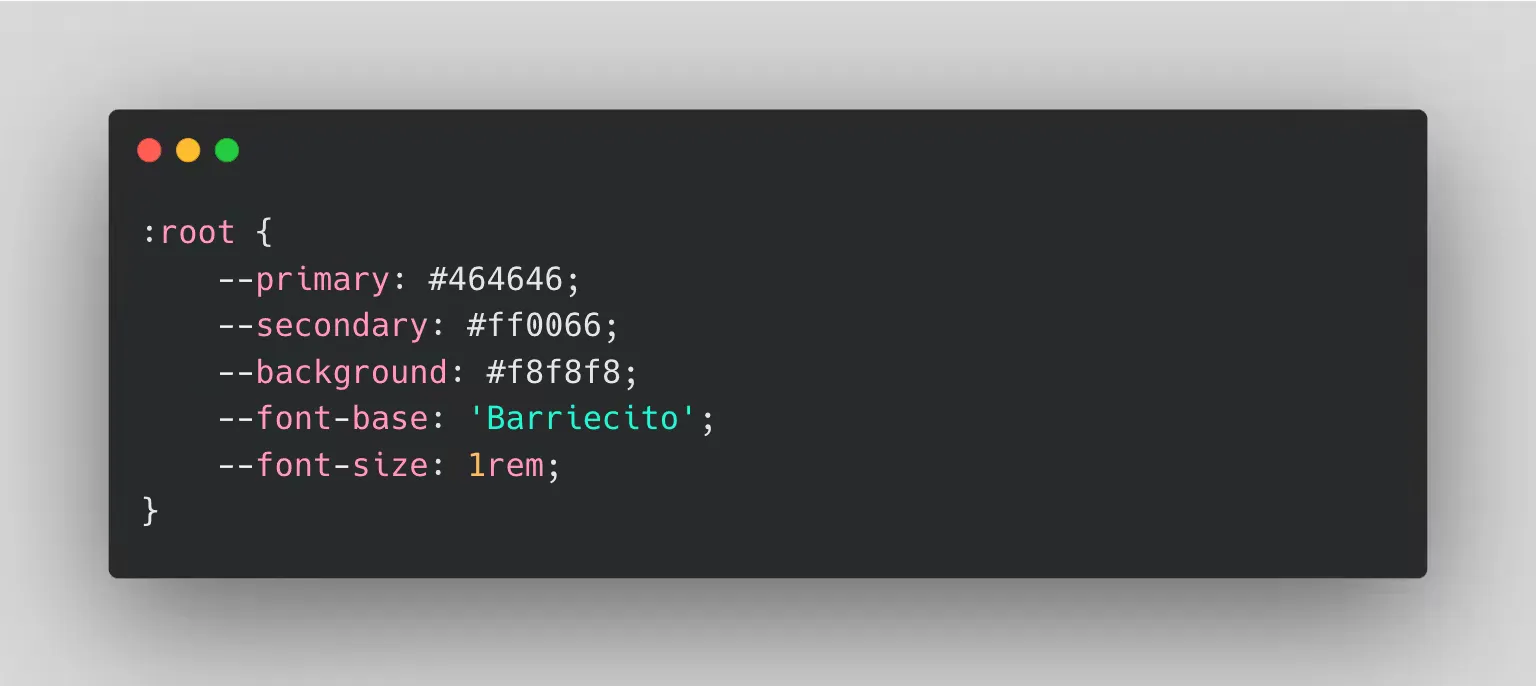
Next we would reassign each variable to another value under different selectors, so that the same declaration points to different values.
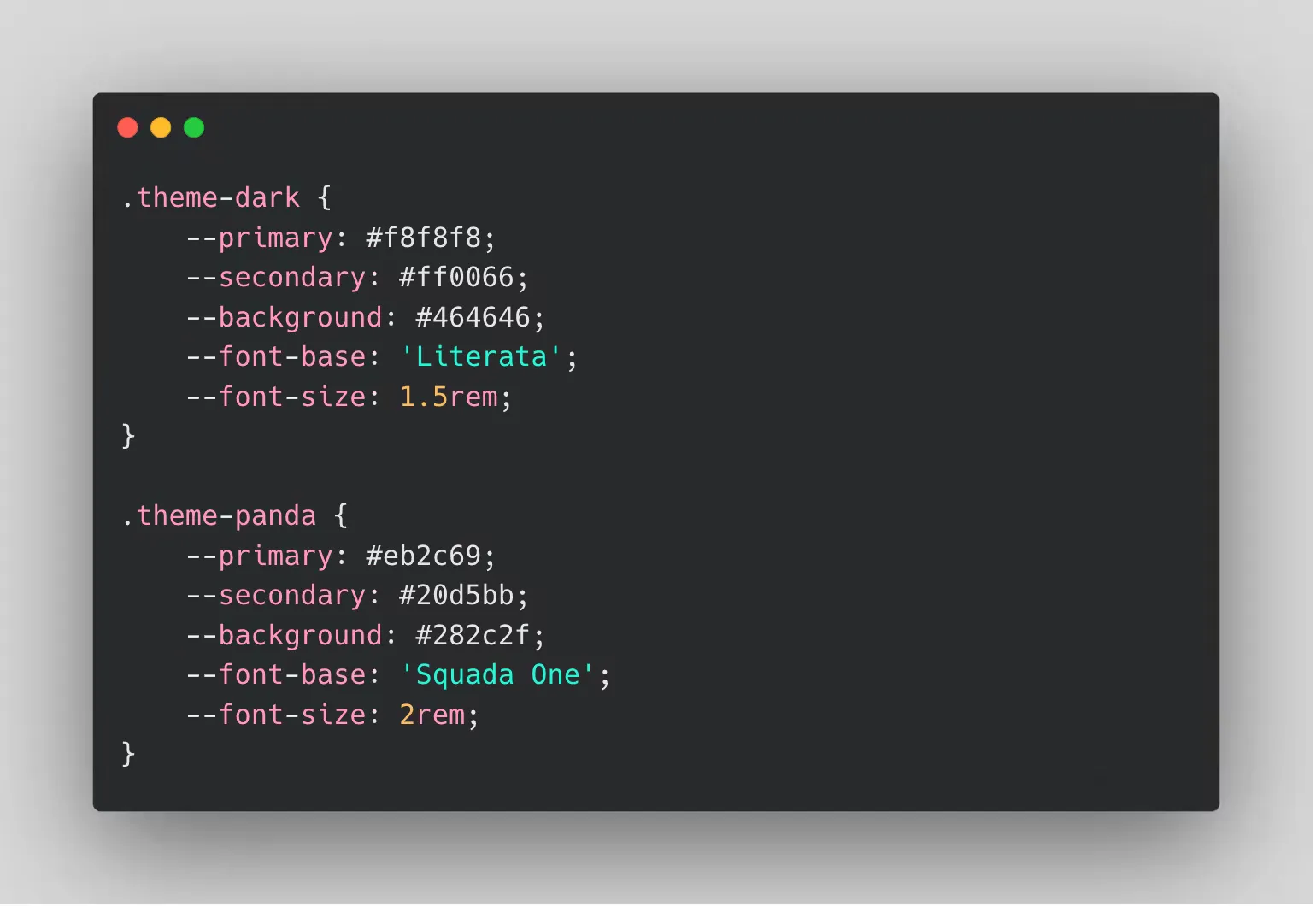
We can use CSS variables to store any valid value, not only colours. It sounds obvious, but we sometimes overlook the most basic things.
Unlike preprocessor variables, it does not matter that the reassignment happens after the variable is applied in the cascade: the change still happens, and we do not need to call the variable again in the selector.
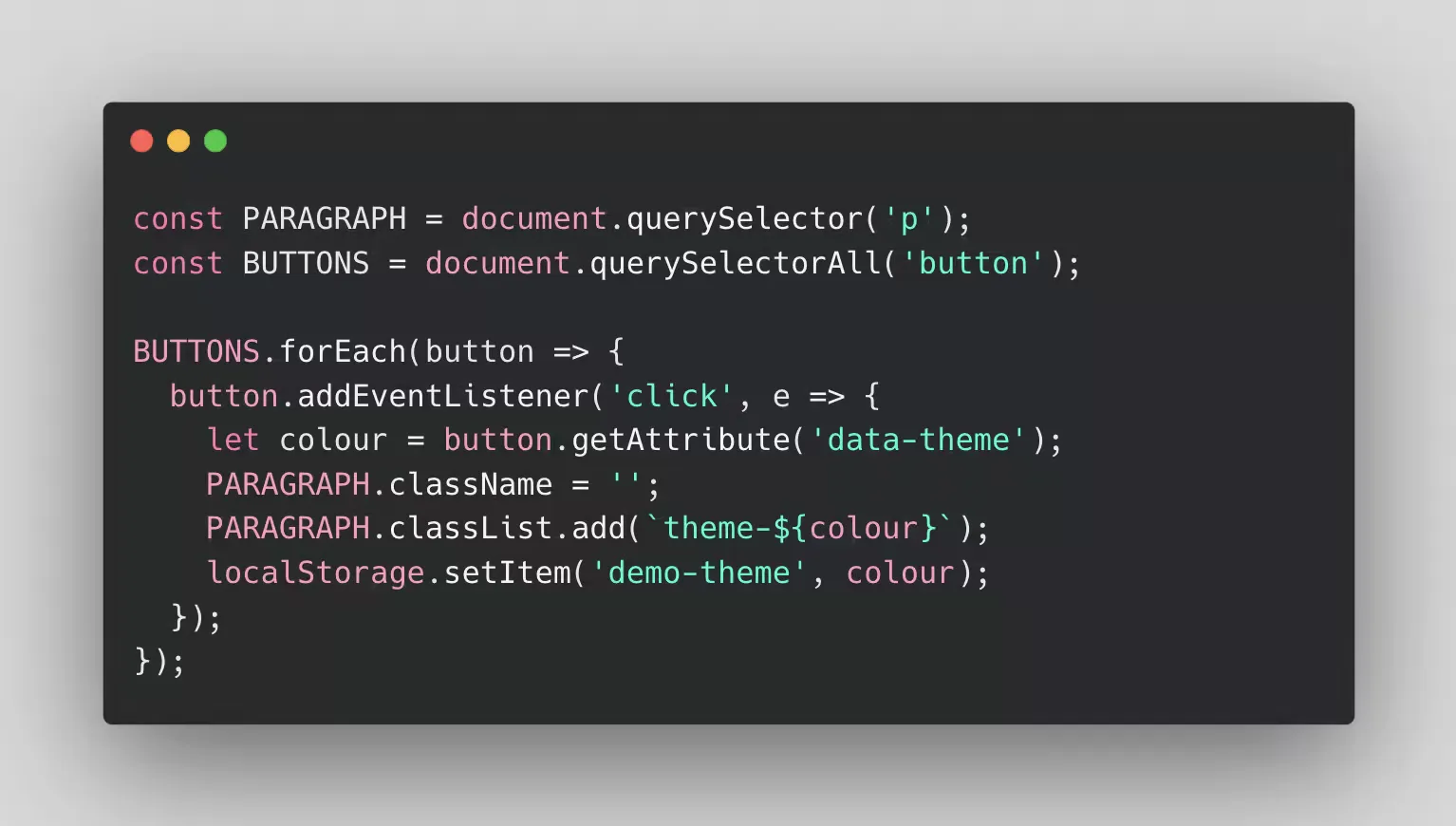
Then we would come up with a method to swap the classes that change the look of
our website, such as a <select> or a dropdown. On each new choice we would
remove and add these classes on the container that wraps the area we want to
theme, which will usually be the document <body>.
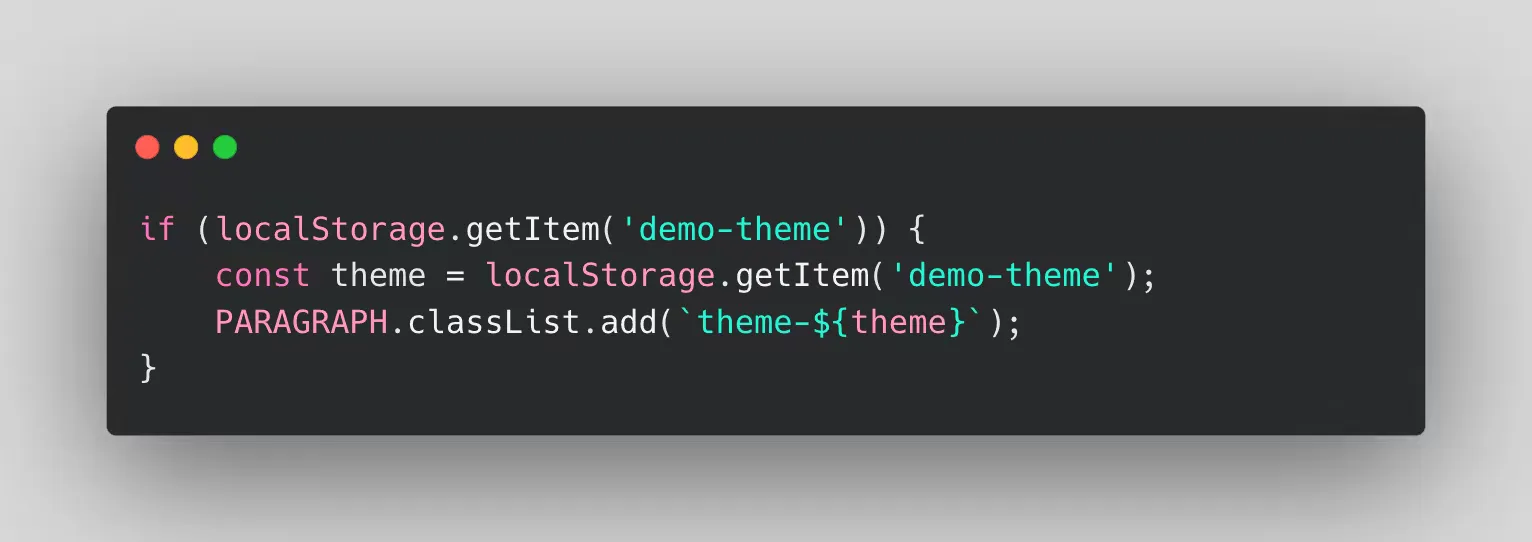
Finally, we need to store the user’s preference and, on every page load, check
whether something was saved. For that we will use localStorage.
Demo
Here is the demo so you can see the effect at a small scale. You can also see how the ‘dark mode’ we implemented in the navigation menu works.
Conclusion
Today the cost of doing this is really low and the benefits can be very high. That is why, even if it is not a requirement in a project, we think a ‘pre-installation’ is a good practice — understanding ‘pre-installation’ as using custom properties, and doing it with generic names.