
In a previous post we talked about how to create and apply different looks or themes in CSS using custom properties, and we mentioned that support varied by browser. That is a very elegant way of saying that everyone can interpret them except — oh, what a surprise! — IE11.
Adding support for Internet Explorer 11
So that this and other browsers can interpret CSS variables, we can take different approaches, for example:
- Add a polyfill written in JavaScript
- Use a PostCSS plugin
- Build an alternative with Sass
Since solutions 1 and 2 are a matter of googling searching through
DuckDuckGo and following the documentation of the
day, we are going to do it ourselves, because writing our own tools or utilities
will help us understand the language better and improve our code. We will not
depend on external work, which means we can write code that fits our needs, we
will not have to load third-party resources, and, in the end, we might even want
to share it with someone.
Starting from the beginning
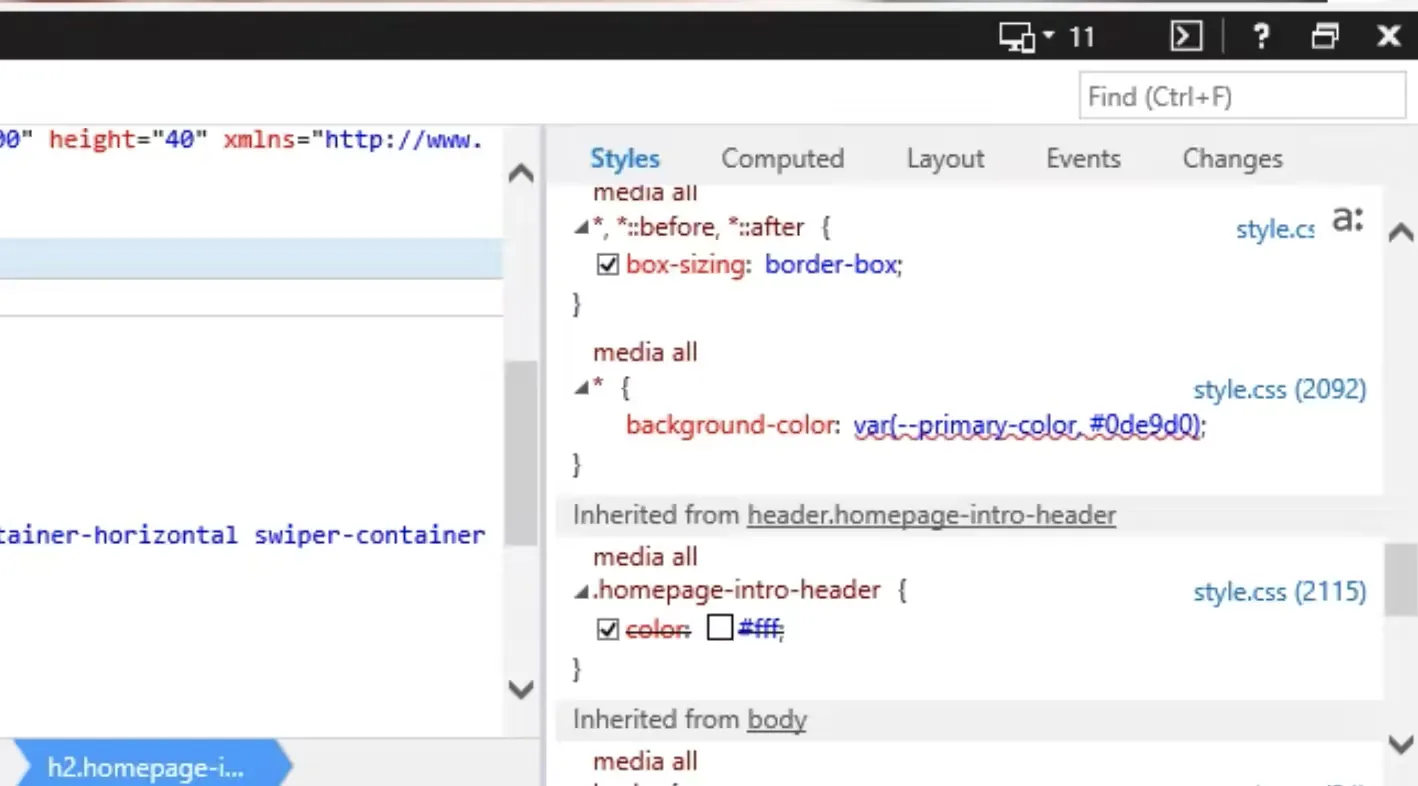
As you can see in the image (a screenshot of Internet Explorer 11’s element
inspector), it does not apply the background-color property because it does
not understand it. Adding a fallback in the declaration did not help, because
the problem is that it cannot handle the var() function — not that the
variable name does not exist. So we need to find a way to translate it to
background-color: $primary-color; without stopping using custom
properties.
Approach
We are going to take advantage of the way web browsers read CSS selectors. When a property is not understood, it is ignored and the next one is used. So we will build a declaration like this:
.class {
  color: #2acba0;
  color: var(--primary-color,#2acba0);
  font-size: 2rem;
}
It is true that we add an extra line for every use of every variable, but with minification and server cache the cost is not that high, and it is a better solution than adding external scripts.
We could group all declarations under an @supports rule, by hand or with
PostCSS, but the resulting code would be larger because we would have to write
every selector again.
The code
The idea is to pass a map to a @mixin that receives the ‘property - value’
pair as many times as properties we want to apply.
This mixin checks that it has received a map and, if not, shows a message in the Sass compilation console to warn the developer that they are not using it correctly, and tells them what to do to fix it.
In this case we have also allowed the list format, although we still show the warning that it is not the correct use.
The mixin loops over as many items as there are in the map and stores the
property and the value to use later. Then, through a @function, it checks
whether the received value exists in the Sass variable declaration. If the value
does not exist, we warn again in the console but we return the colour ‘lime’
because it is very striking on screen and unusual in a colour palette.
With the value back, it is a matter of building the CSS rule for browsers without support, and then applying the custom property.
Limitations
There are 2 limitations to keep in mind. If we change the value of a variable inside a selector, the browser that does not support custom properties will not show the new value — although by tweaking the mixin a little we could solve it.
The other limitation is if the value is changed with JavaScript: the same thing will happen, the unsupported browser will not be able to reflect the change.
Demo
You may not have IE 11 at hand — or anywhere near it. If you are very lucky, you will not even know what IE means… But in the real world this compatibility is still requested, so here is the demo with the full example, although the best way to see it is in production, because CodePen does not support IE11 xD